
Hopper Price Freeze: How It Works, Fees and Risks (2026)
✈️ Flight Hack Spec Card
Quick Steps & Summary
Full Flight Hack Guide
Quick Answer (TL;DR)
Hopper is a travel app that predicts whether flight fares will rise or fall and offers Price Freeze, a paid feature that holds a displayed fare for a short time. In July 2026, Hopper agreed to a $35 million settlement with the US Federal Trade Commission (FTC) over fee transparency and Price Freeze disclosure practices. Read the terms carefully, check coverage caps, and always compare the final checkout price with the airline's direct website before booking.
---
Latest News: The July 2026 FTC Settlement
On July 2, 2026, Hopper agreed to pay $35 million to settle allegations brought by the US Federal Trade Commission (FTC), according to official settlement news reports. The FTC alleged that Hopper charged consumers fees they did not clearly agree to—including pre-selected checkout add-ons—and failed to clearly explain how Price Freeze worked.
According to those reports, the FTC alleged that:
The settlement does not require Hopper to admit or deny the allegations. However, it requires Hopper to obtain explicit consent before charging fees and to display total prices prominently. A proposed class action in Canada has also been reported with similar allegations regarding Price Freeze terms.
---
How Hopper's Price Prediction Algorithm Works
Hopper analyzes historical fare data to estimate whether a flight price is likely to rise or fall, presenting advice such as "Buy Now" or "Wait." It also allows you to track specific routes and sends push notifications when prices fluctuate.
Hopper's predictions are algorithmic estimates. Fuel costs, unexpected route changes, and sudden demand shifts can alter airfares unexpectedly. Treat the advice as a decision aid rather than a guarantee.
Key Prediction Features:
For a web-based alternative with interactive date grids and visual fare tracking, read our Google Flights User Guide.
---
How Price Freeze Works
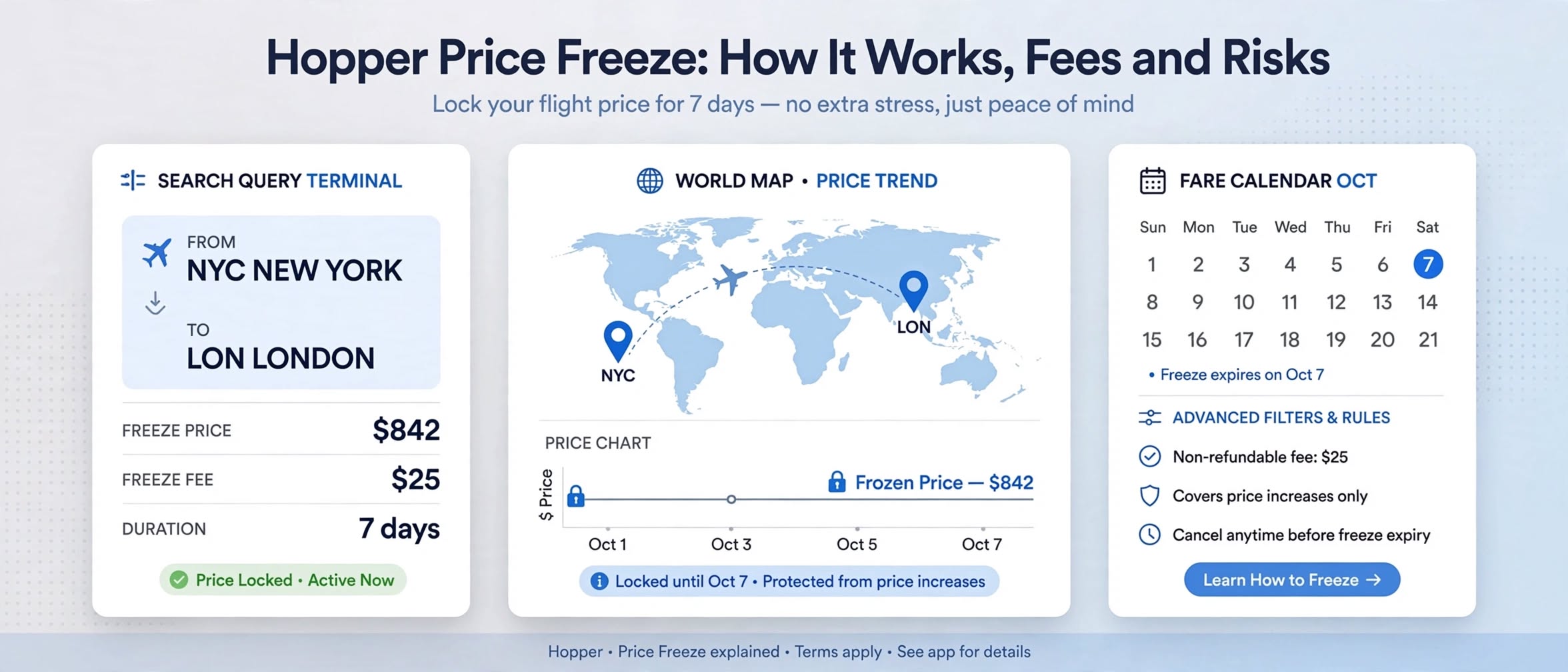
Price Freeze allows you to hold a displayed fare for a limited time by paying a non-refundable deposit. If the price rises, Hopper covers the increase up to a set cap limit. If the price falls, you pay the lower rate.
| Parameter | What to Check (Verify in App) |
|---|---|
| Duration | Varies by flight (typically ranges from a few days up to longer holds) |
| Deposit | Varies by route and demand |
| Coverage Cap | The maximum dollar amount Hopper pays if the fare increases |
| Availability | The seat or fare class must still be available when you complete the booking |
| Deposit Use | Check whether the deposit is applied to the ticket, refunded, or converted to credit |
| If You Don't Book | Check whether the deposit is forfeited or converted into app credit |
Before You Pay for a Price Freeze:
1. Track First: Watch the route for a few days to establish the true baseline price.
2. Read the Cap: If the coverage cap is $150 and the price rises by $250, you are responsible for paying the remaining $100.
3. Check Availability Terms: A freeze may not apply if the specific fare tier or seat sells out.
4. Take Screenshots: Capture clear screenshots of the freeze terms, deposit amount, cap limit, and total fare before paying.
5. Compare Free Alternatives: Airlines often offer a free 24-hour cancellation window on direct bookings, which can serve a similar holding purpose at no cost.
6. Treat Deposits as Non-Refundable: Only pay an amount you are comfortable losing if your travel plans change.
---
Critical Fine Print: Fees, Add-Ons, and Agency Rules
If you prefer researching complex multi-stop routes and itemized tax breakdowns without agency booking fees, check our ITA Matrix Routing Codes Guide.
---
Hopper vs. Google Flights vs. ITA Matrix
| Feature | Hopper App | Google Flights | ITA Matrix |
|---|---|---|---|
| Core Strength | Price advice & fare freezing | Fast search & price tracking | Advanced routing codes & fare details |
| Fare Freeze | Yes (Paid deposit with coverage limits) | No equivalent (Check for select price guarantees) | None |
| Booking Mechanism | In-app booking through Hopper | Direct links to airlines & sellers | Research only (No direct booking) |
| Booking Fees | Agency service fees may apply | No Google fees (sellers may charge) | None (Search only) |
| Best Used For | Holding a fare while deciding | Quick date comparisons & direct booking | Complex multi-city flight research |
For broader comparisons of major search aggregators, review our guides on Momondo vs Skyscanner vs Kayak and the Skyscanner Everywhere Search Strategy.
---
Pro Traveler Checklist & Pitfalls
---
Frequently Asked Questions
Is the Hopper Price Freeze deposit refundable?
Deposit rules depend on the specific terms displayed inside the app at the time of purchase. Deposits may be applied toward your final booking or converted to app credit. Always read the checkout terms, keep screenshots, and contact support in writing if terms are unclear.
What happens if the price rises above the coverage cap?
You must pay the price difference above the coverage cap limit. For example, if the cap limit is $150 and the fare increases by $250, Hopper covers $150 and you pay the remaining $100 difference at checkout.
Does Hopper guarantee the lowest flight price?
No. Hopper's recommendations are based on historical data models and cannot guarantee that a lower price will not appear elsewhere. Always compare total prices across Google Flights and the airline's direct website before paying.
Is Hopper safe to use after the FTC settlement?
The FTC settlement requires Hopper to obtain clear consent for fees and display total prices prominently, improving transparency. However, you should still review checkout screens carefully, uncheck unwanted add-ons, and keep records of all displayed terms.
What was the FTC's main complaint against Hopper?
The FTC alleged that Hopper charged pre-selected fees without clear customer consent and failed to clearly disclose Price Freeze limitations, such as coverage caps and seat availability conditions. Hopper paid $35 million to settle without admitting or denying the allegations.
---
Final Verdict
Hopper can be a convenient tool for tracking price trends and holding a fare while finalizing travel plans, but it requires careful attention to terms. Price predictions are estimates, Price Freeze features carry strict coverage caps and deposit conditions, and checkout screens require active review to avoid unwanted add-on fees. If you use the app, review every term, uncheck optional add-ons, save screenshots, and always verify the final total against the airline's direct website.
Next Step: Add your upcoming route to Hopper's watchlist and Google Flights price tracking simultaneously, monitor them for a few days, and evaluate whether a Price Freeze deposit is worth the cost.
---